Obsidian theme

gogoga

Calm and restrained, made for long writing sessions

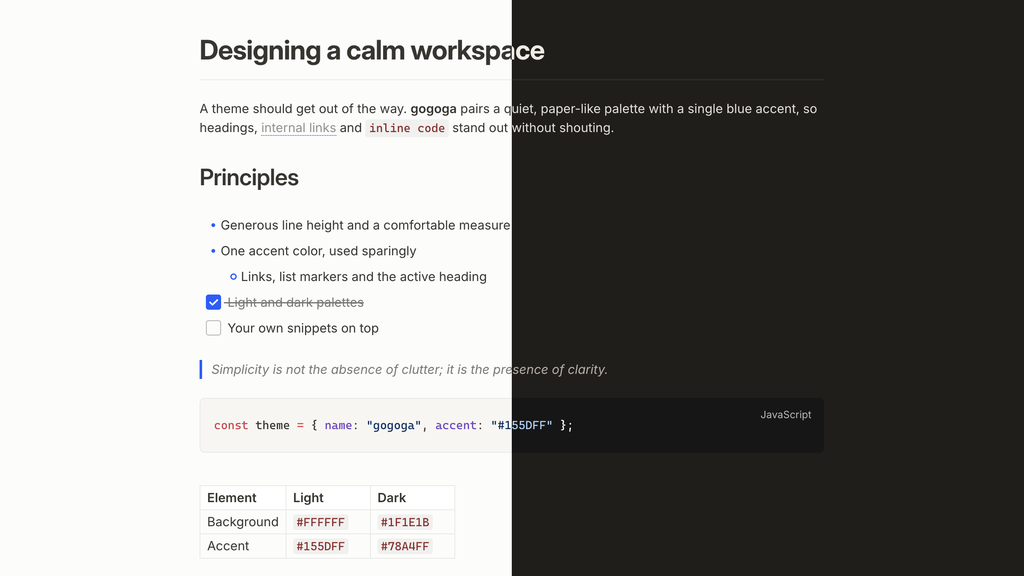
A paper-like light palette, a warm dark one, and a single blue accent. Typography, color and details follow Tolaria's design language, so Obsidian feels like a place you want to write in.

v0.3.0In community themesUpdated 2026-11-16AGPL-3.0

Every detail tuned for writing

Two palettes

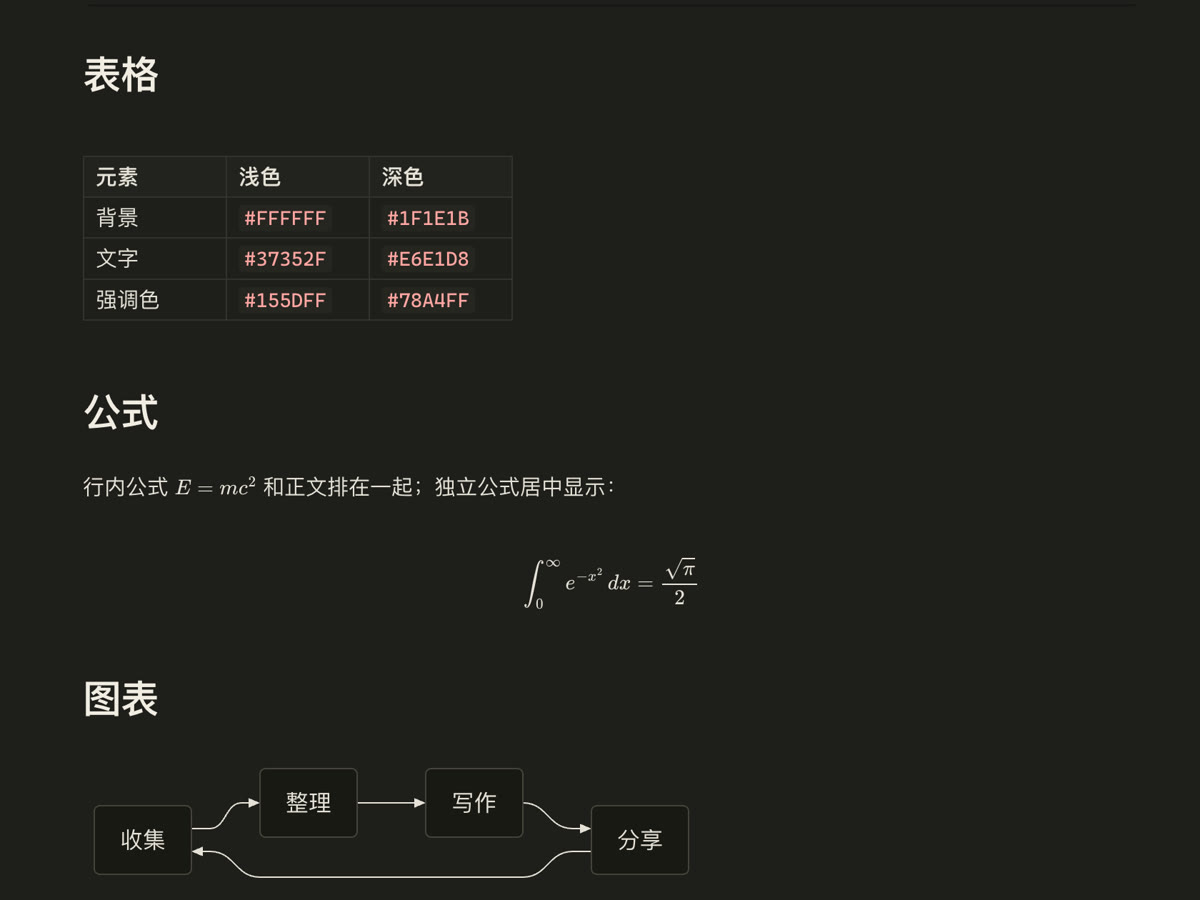
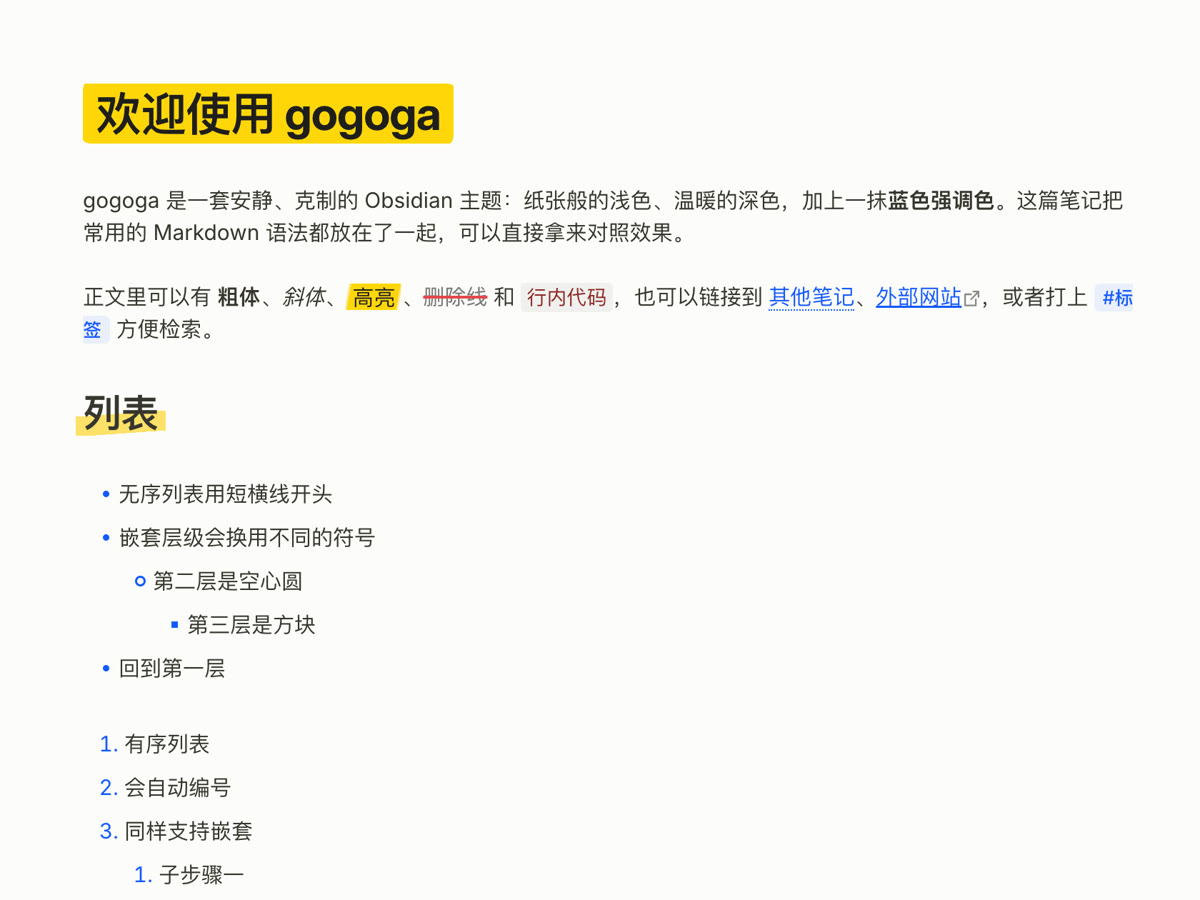
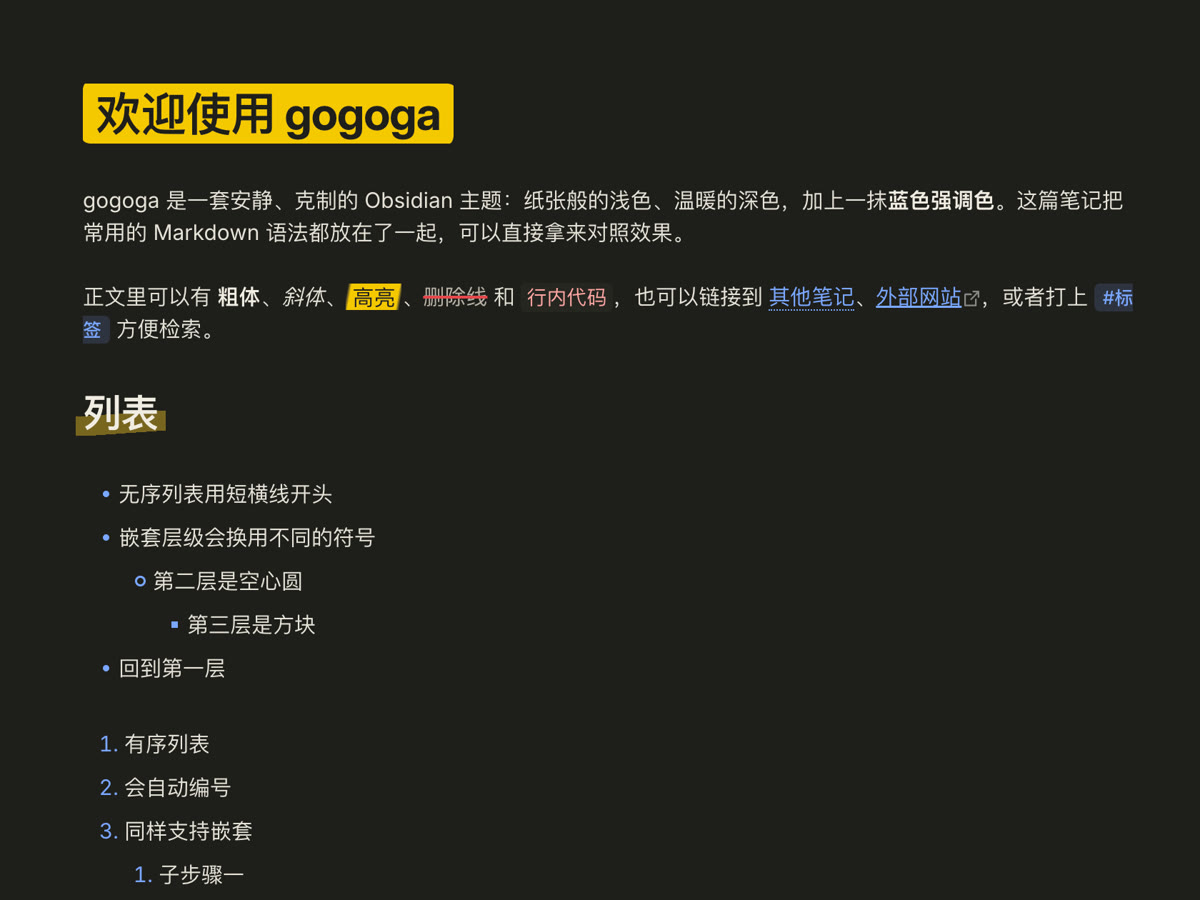
Dark gray on white with a #F7F6F3 sidebar, and off-white on warm charcoal for night. The accent follows Obsidian's own setting.

Careful typography

Inter, comfortable line height and a 740px measure, with a clear heading hierarchy and the H1 as the title.

A sidebar to match

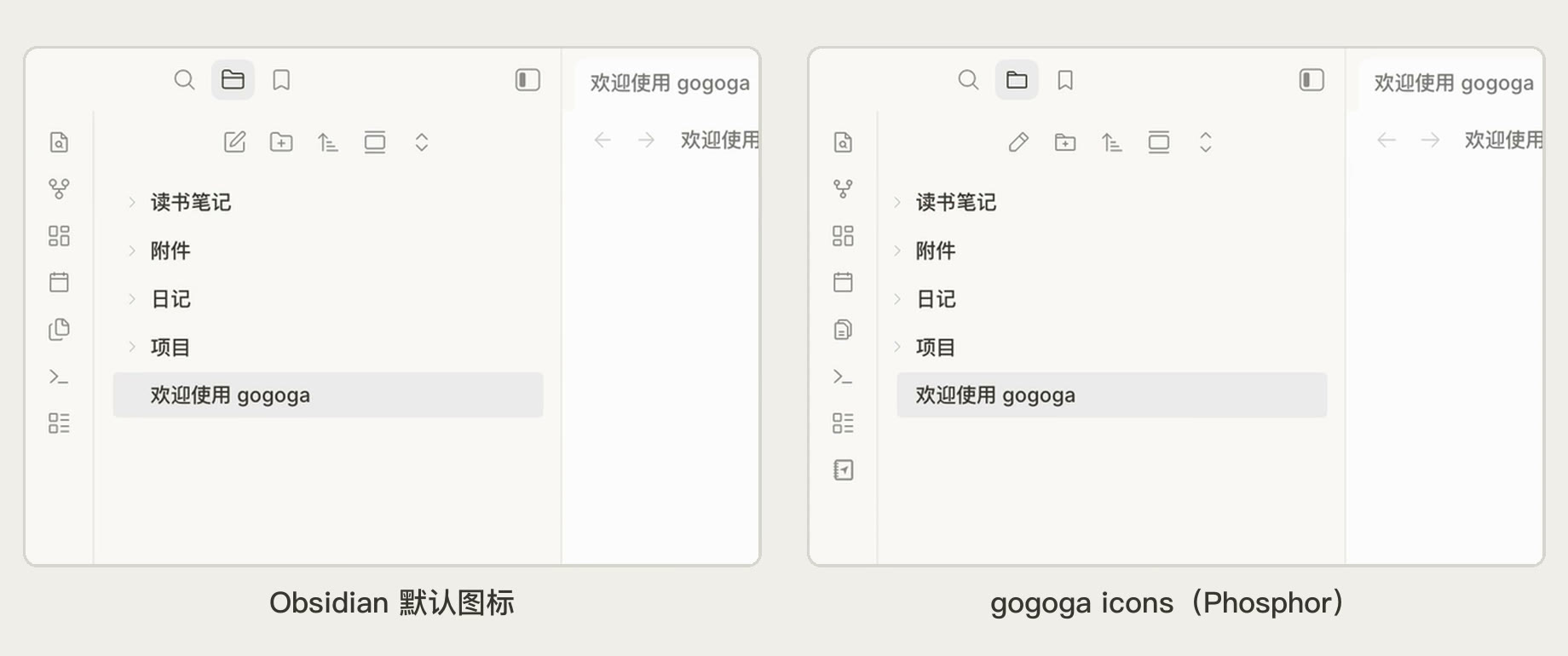
The built-in file explorer gets folder icons and guide lines; Notebook Navigator becomes a Tolaria-style three-pane layout.

Highlighter notes

Headings on marker blocks, highlights with slanted ends, marker-pen underlines. Five switches, each optional.

Focused writing

Focus mode keeps only the current paragraph sharp; hover highlight and heading markers help in long notes.

Adjustable details

Accent, fonts, weight, measure, bold style and table widths, set separately for light and dark.

Typography

Like a well-set page

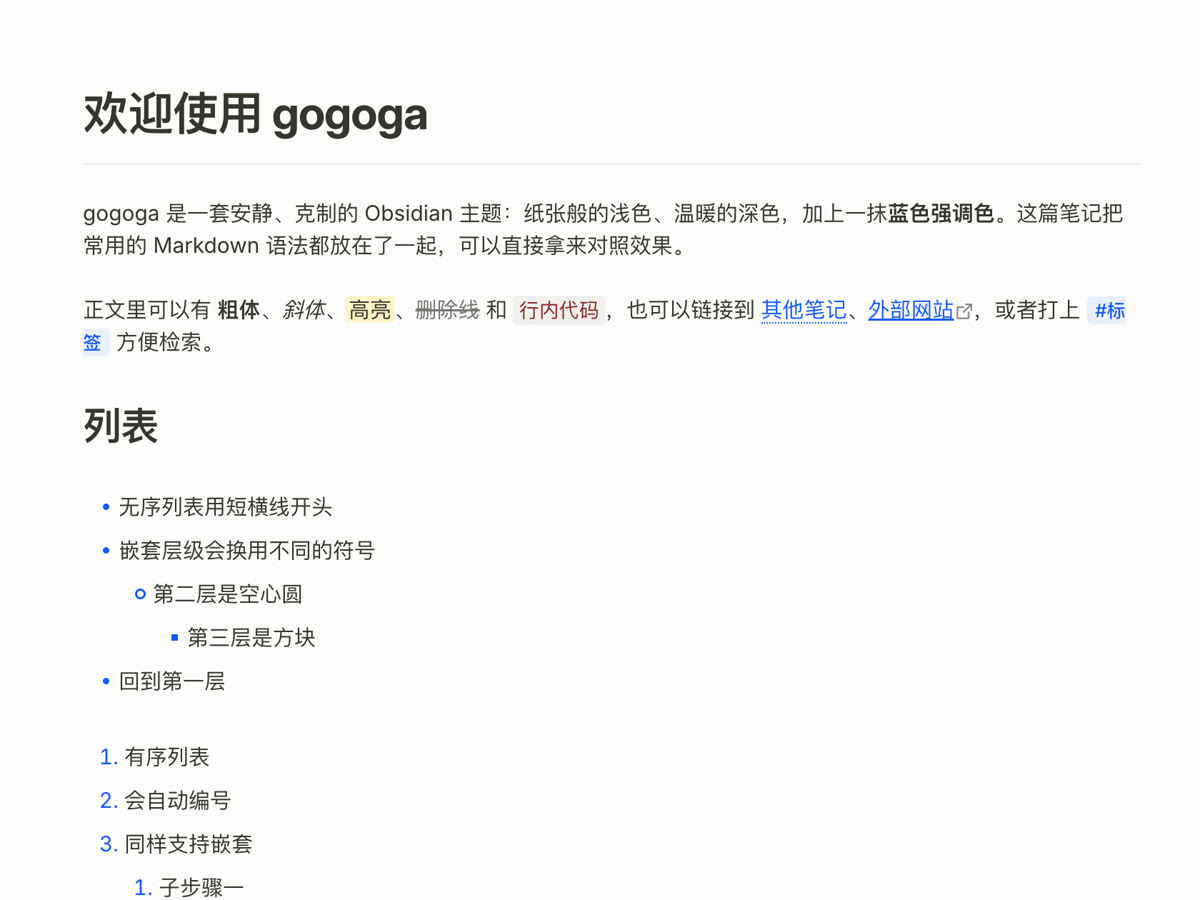
Inter at 15px with a 740px measure, Tolaria's 32/27/20/17 heading ladder with negative tracking, and a divider under the H1. CJK text falls back to system fonts and mixes cleanly.

  • Blue list markers that change shape per level
  • Dotted-underline wikilinks, distinct from web links
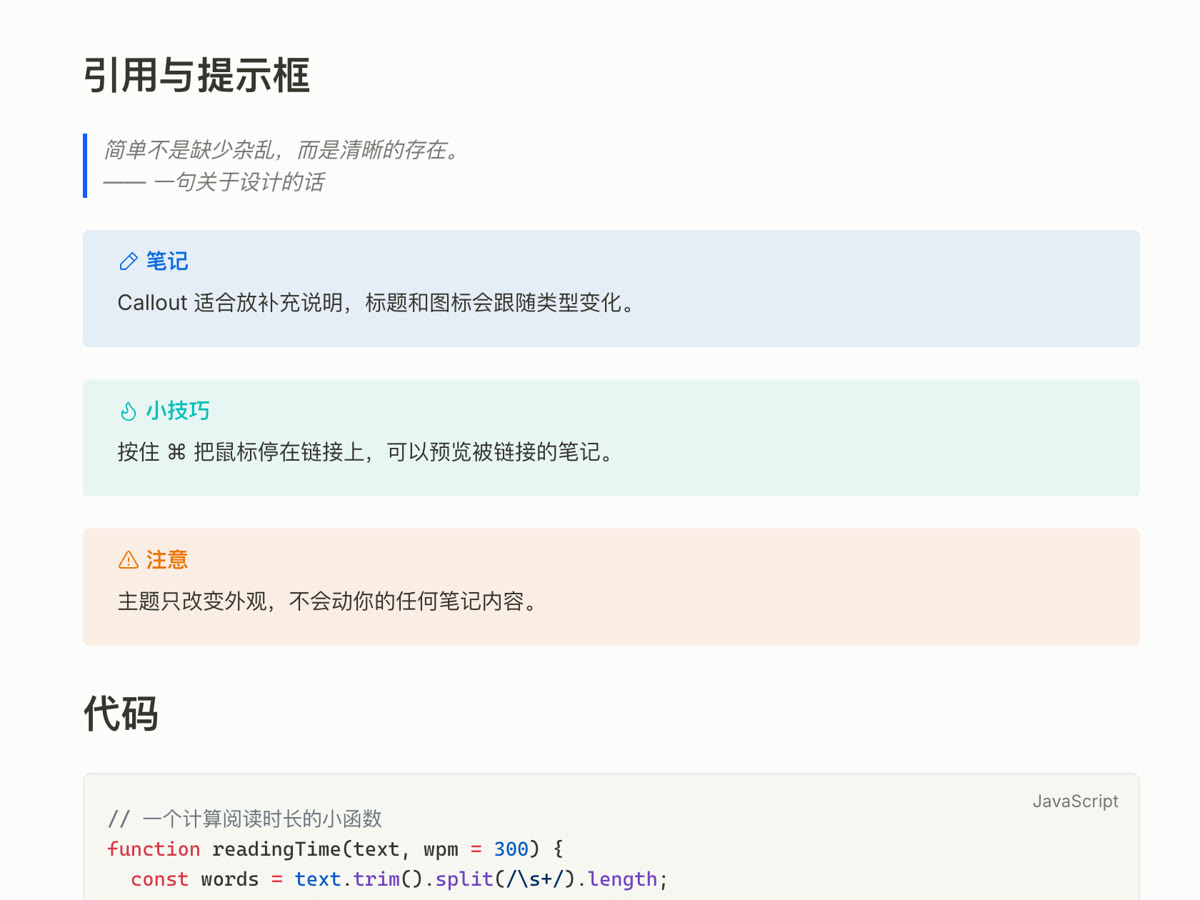
  • Accent-rail blockquotes and soft callouts
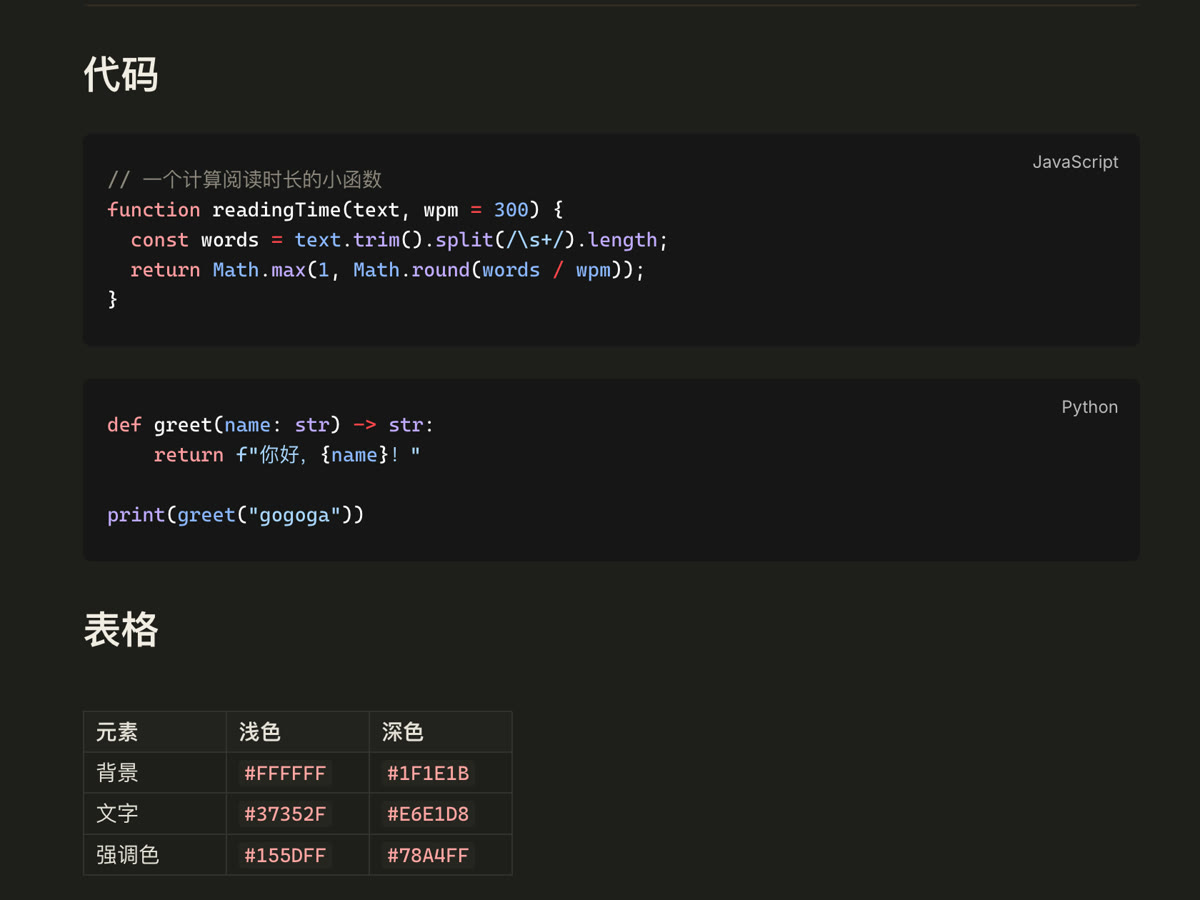
  • Near-black code blocks that stay easy on the eyes
Body text in light modeBlockquotes and calloutsCode blocks in dark modeTables and math in dark mode
Highlighter notes (light)Highlighter notes (dark)

Highlighter notes

Like marking up paper

Turn on Highlighter notes in Style Settings: the H1 sits on a marker block, H2 and H3 get a highlighter stroke, highlights end in slanted tips, underlines become thick marker lines and strikethrough a red line. Each of the five is optional, the color is yours to pick, and it works in dark mode too.

Style Settings

Tune it to your taste

With the Style Settings plugin, a gogoga page appears in settings. Every switch is off by default, so the theme looks as intended without it.

  • Accent color
  • Inline code color
  • Heading colors
  • Italic color
  • Body font
  • Body weight
  • Bold style: classic / accent / highlighter
  • Text measure
  • Table column floor
  • Hide H1 divider
  • One bullet shape
  • System font rendering (macOS)
  • Hover line highlight
  • Heading level markers
  • Focus mode
  • Highlighter notes (5 options)

Install the theme

  1. Open Settings → Appearance in Obsidian.
  2. Next to Themes, click Manage and search for gogoga.
  3. Click Install and use. Updates show up in the same place.

The directory downloads files from GitHub. If it hangs or fails, use the offline package instead.

To install the theme and its companion plugins in one go, download the gogoga bundle (678 KB).

Full documentation

gogoga in light and dark mode

An Obsidian theme that replicates the design language of Tolaria: Notion-flavored light palette, warm charcoal dark palette, #155DFF accent, Inter typography, blue list markers, and an H1-as-title layout with a divider.

Features

  • Two palettes ported from Tolaria's design tokens: light (#37352F on white, #F7F6F3 sidebar) and warm dark (#E6E1D8 on #1F1E1B), accent #155DFF / #78A4FF. The accent follows Settings → Appearance → Accent color, so you can change it without any plugin
  • Editor typography: Inter, 15px/1.5 scale, 740px measure, Tolaria's heading ladder (32/27/20/17) with negative letter-spacing, H1 and inline titles underlined by a divider
  • Details: blue list markers, 18px checkboxes, dotted-underline wikilinks, accent-rail blockquotes, near-black dark code blocks, quiet gray property chips
  • Notebook Navigator adaptation: full styling for the Notebook Navigator plugin's note list — edge-to-edge rows, Tolaria selection states, quiet tag chips — via the plugin's --nn-theme-* API
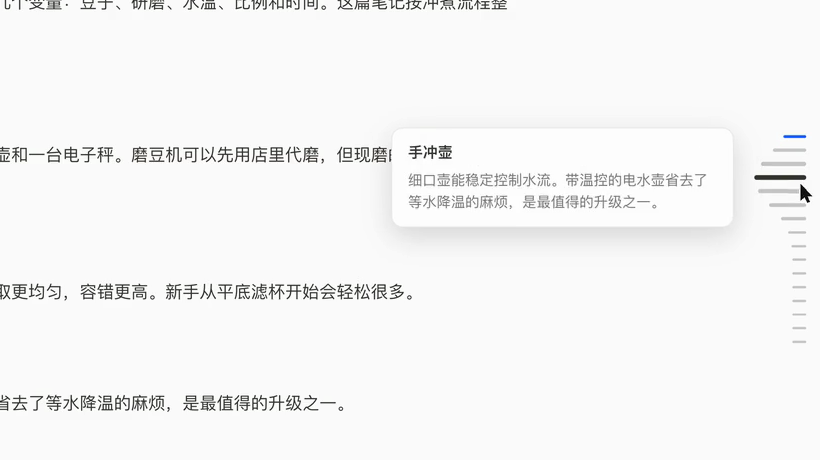
  • Companion plugins: gogoga-icons swaps Obsidian's Lucide UI icons for Phosphor (the set Tolaria uses), and gogoga-outline pins a Codex-style heading rail to the edge of the editor — dashes that rise in a dock-like wave under the cursor, with section previews and click-to-scroll. gogoga-youtube manages grouped YouTube channel subscriptions, recent uploads, read state, and opt-in video notes using public RSS feeds, with a generated native Bases view.
  • Style Settings support: accent (plus a separate hover accent), inline-code, heading and italic colors (per light/dark), body font and body text weight, bold text style (classic, accent color or highlighter, with custom bold color, weight and stroke), text measure, and table column floor, plus opt-in toggles to hide the H1 divider, use one bullet shape at every nesting level, fall back to the system's font rendering (macOS only), highlight the line under the mouse (with its own color), show H1–H6 heading level markers, and a focus mode that fades everything but the paragraph you're writing (in reading view, the one under the mouse). Every toggle is off by default, so the theme keeps its intended look without the plugin. Option labels follow Obsidian's language: English, or Simplified Chinese when Obsidian is set to Chinese.
  • Highlighter notes (Style Settings → gogoga → 荧光笔记 Highlighter notes, each item off by default): the title and H1 on a solid marker block, a highlighter stroke across the lower half of H2 and H3, ==highlights== with slanted ends like a real highlighter, <u>underline</u> as a thick marker line, and strikethrough as a red line. Turn each on separately and pick your own highlighter color; works in dark mode too.
  • More looks (Style Settings → gogoga, each off by default):
    • Heading colors: Rainbow, Ocean, Forest and Sunset palettes, or a color for any single level.
    • Colorful emphasis: own colors for italic and bold italic, own backgrounds for italic, bold and bold italic highlights.
    • Tasks and lists: round checkboxes; icons and colors for 21 task states such as - [>] - [!] - [?]; rainbow indent lines.
    • File explorer: icons by file type; folder icons in the accent color or a rainbow.
    • Adjustable properties text size.
  • Writing aids without plugins: focus mode, hover highlight and heading level markers also switch on with Obsidian's own features — see below.
  • Built-in file explorer in Tolaria's style: folder icons instead of chevrons, Tolaria's row size and indent, and a connector line under each open folder — so the theme looks right without Notebook Navigator too.

Changelog

0.3.0
2026-11-16

Added (#2, suggested by pinery-sls; all in Style Settings, off by default)

  • Heading colors: a "Heading palette" (Rainbow, Ocean, Forest, Sunset) gives each heading level its own color, with a matching set for dark mode; a color set for a single level wins over the palette.
  • Colorful emphasis: italic and bold italic get their own text colors, and highlights that are also italic, bold or both get their own backgrounds (pink, green, blue). All five colors can be changed; the italic color under Colors wins when set.
  • Tasks and lists:
    • "Checkbox shape": square or round.
    • "More task states": 21 markers such as - [>] - [<] - [!] - [-] - [/] - [?] - [*] each show their own icon and color (Phosphor icons) instead of a plain check; - [-] is struck through like - [x], the others aren't.
    • "Rainbow indent lines": each nesting level of a list draws its guide line in its own color.
  • File explorer (Obsidian's own file explorer only):
    • "File type icons" for notes, images, PDF, audio, video, canvas, Bases, code and archives.
    • "Folder icon color": gray, accent color, or rainbow (top-level folders take turns, subfolders follow their parent).
  • Properties text size (under Typography) for property names, values and "Add property"; 12px by default as before.

Fixed

  • With both heading level markers and editor line numbers on, the H1/H2 tags sat on top of the line numbers (#2). With line numbers on, the tag now sits between the numbers and the text, and gives way to the fold arrow when the mouse is over the heading.
0.2.1
2026-11-15

Fixed

  • Task checkboxes in a side pane are no longer cut off on the left. At the smaller side-pane font size the box stuck out past the list edge, and inside a live-preview query block (Tasks, Dataview) its left border was clipped. Task items now always leave room for the checkbox; the main editor looks the same.
0.2.0
2026-11-09

Added

  • Highlighter notes in Style Settings (each item off by default): the note title and H1 on a solid marker block; a highlighter stroke across the lower half of H2 and H3; ==highlights== with slanted ends like a real highlighter (colored highlights keep their colors); <u>underline</u> as a thick marker line, including underlines in gogoga Mind Map nodes; strikethrough as gray text with a red line. Plus one highlighter color for all of them, light and dark.
0.1.7
2026-10-28

Added

  • Heading color (H1–H6) and italic color in Style Settings, per light/dark mode; unset keeps the current look.
Show all 11 releases
0.1.6
2026-10-28

Added

  • Bold text options in Style Settings: style (classic, accent color, highlighter), bold color, weight and stroke. The default look is unchanged.
0.1.5
2026-10-22

Added

  • Its own color for the hover line highlight.
  • Heading level markers that show H1–H6 beside headings.
  • Body text weight setting.
  • Tolaria-style look for the core file explorer.

Changed

  • Clearer descriptions for the accent hover and font rendering options.
0.1.4
2026-10-21

Added

  • Style Settings toggles for highlighting the line under the mouse and for focus mode.
  • Both can also be turned on per note (cssclasses) or globally with the bundled CSS snippets, without any plugin.
0.1.3
2026-10-20

Changed

  • The accent follows Obsidian's accent color setting instead of a fixed blue.
0.1.2
2026-10-18

Added

  • Funding link.
0.1.1
2026-10-15

Added

  • Style Settings labels in English and Simplified Chinese, following Obsidian's language.
  • English README with a Simplified Chinese translation.
0.1.0
2026-10-14

First public release.

Added

  • Light and dark palettes after Tolaria's design language, with three surface tiers.
  • Tolaria-style nested bullets, heading rhythm, adaptive tables and quiet tag chips.
  • Matching styles for Notebook Navigator and the properties side panel.
  • Style Settings: accent and inline code colors, body font, line width, table column floor, and opt-in toggles to hide the H1 divider, use one bullet shape, and use the system font rendering.